Online Ordering System
for Restaurants
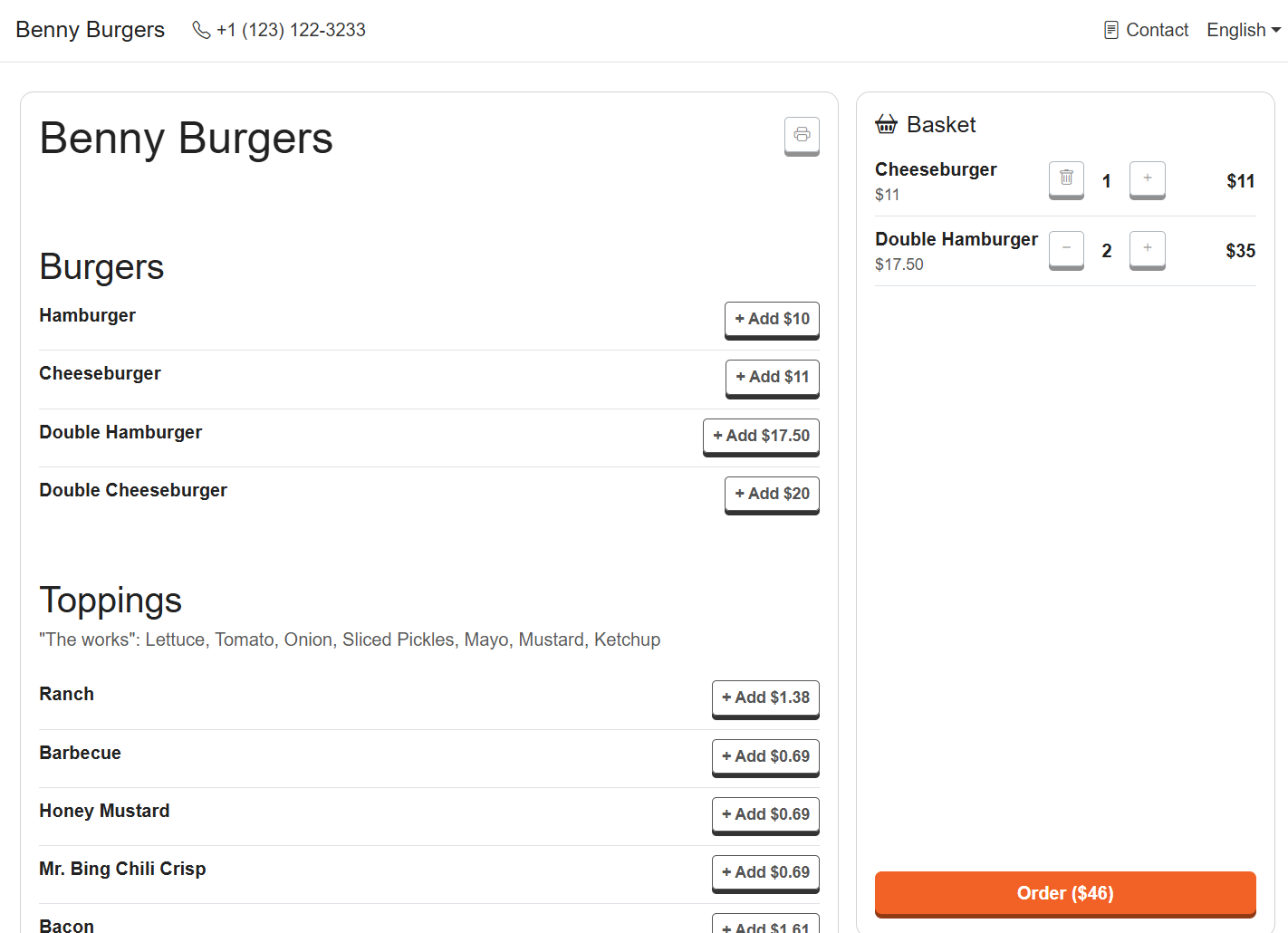
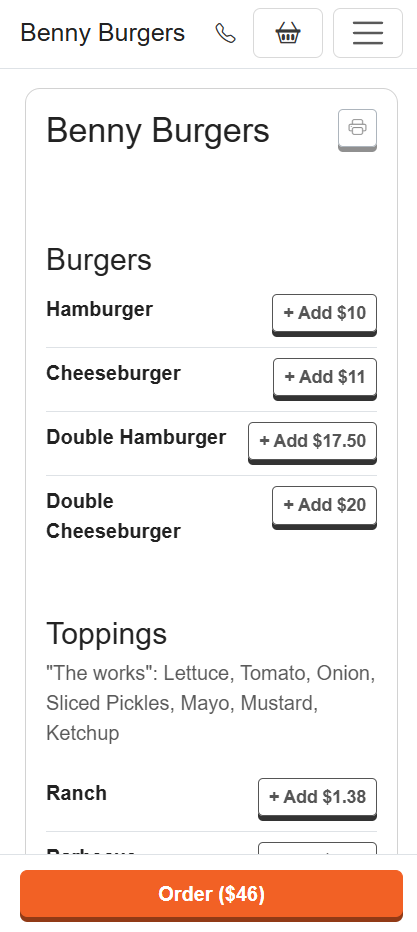
Customers order and pay on your restaurant's page. The ticket prints itself in your kitchen. You cook and deliver. That's the whole system.
Try It for Free
How does the Restanaut ordering system work?
- 1Create an account for your restaurant
- 2Add your menu using photos
- 3Enable payment acceptance
- 4Download and configure the desktop app for automatic order printing
- 5Mark tables with numbers and a QR code linking to your restaurant's page on Restanaut
- 6Now customers can place orders online and pay for them
- 7Orders are automatically printed for the kitchen and visible in the desktop app. Money from online payments will automatically go to your account.
Restanaut Bigger orders, lower fees, less work
Try It for FreeSimple and effective
Three steps. That's the whole thing.
No new hardware to learn, no tablets piling up by the pass.
They order and pay online
Your menu, your page, on their phone. Pick-up, eat-in or delivery, paid by card before the kitchen even hears about it.
The ticket prints itself
Our desktop app sends every new order straight to your receipt printer. Nobody has to watch a screen or answer a phone.
That's it. You just cook.
Less work at the counter, more orders in the queue, and every customer stays yours, with their details in your dashboard.
Benefits
Why your restaurant needs online ordering
People order more when they have time to browse and can order with just a few clicks on their phone.
People order more on their phone
Browsing a menu at their own pace beats reading it out over the phone, and baskets come out bigger.
Fewer calls, lighter shifts
Nobody stops mid-service to take an order down on paper. Staff stay on the floor and in the kitchen.
No more misheard orders
The customer picks the dish, the size and the extras themselves. The printout says exactly that.
Open for orders around the clock
Your page takes orders whenever you say it can, with your real opening hours built in.
Change the menu in seconds
New price, new special, sold out of the fried chicken? Update it once and it's live everywhere.
More repeat business
Regulars reorder in three taps, and their details stay in your dashboard, not somebody else's app.
Get started
So how do you start? It's super easy.
Six steps from signing up to taking your first order. Most restaurants are live the same afternoon.
Create your account and tell us about your restaurant
Name, address and contact details, the days and hours you're open, and where you deliver. That's your page ready to go.
Take a photo of your menu and let it build itself
Snap the printed menu. Categories, dishes, sizes and prices come out ready to edit, so you're not typing a hundred rows by hand.
Connect your own domain and turn on payments
Serve your page from your own domain instead of a platform address, and let customers pay by card when they order. Both optional, both a few clicks.
Download the desktop app so orders print themselves
Install it on the computer next to your ESC/POS printer, pair it once, and every accepted order comes out on paper by itself, on receipt tape.
Number your tables and serve guests where they sit
Give every table a number and a QR code. Guests scan, order from their seat, and the ticket tells your staff exactly where the food goes.
Share your page everywhere and watch the orders grow
One link works everywhere: your Google Maps listing, Yelp, Instagram bio, a QR code on the menu, a flyer in the delivery bag. Every scan is a new order without a phone call.
Desktop app
Your kitchen printer does the paperwork
This is the part that saves the most time. Install the Restanaut desktop app on the computer by your ESC/POS printer, and new orders come out on paper the moment they're accepted, with the table number, the delivery address and the customer's notes already on the ticket.
12 Oak St, paid $46.00, "ring the top bell"
Everything included
One system for the whole restaurant
Your page, your menu, your orders and your team, all in the same dashboard.
Hosted restaurant page
Ready the day you sign up, even without your own website.
Menu from a photo
Import from photos, then edit the details yourself.
QR code menu
Print it for tables, counters and flyers. Guests scan and order.
Order printing
Receipt tape, automatically, through the desktop app.
Push, email and alarm
Three ways to know an order landed. Turn each on or off.
Working hours
Ordering opens and closes with your kitchen, day by day.
Sold out in one tap
Hide a dish while you're out of it, bring it back just as fast.
Notes on orders
Allergies, spice level, "ring the top bell", printed with the ticket.
Multiple locations
Each venue with its own page, menu and orders, one account.
Your whole team
Invite staff so anyone on shift can handle orders and the menu.
Custom domain
Run the page on your own address and hide our branding.
Auto-reject stale orders
Orders you can't accept in time close themselves, so nobody waits.
Quick start. No risk.
Set it up in an afternoon, test it free for 14 days
No sales calls, no onboarding project. Sign up, photograph your menu and take your first test order the same day.
Guides
Every step, written down
Short, step-by-step guides for you and your team. Start with the end-to-end walkthrough.
Getting started, sign-up to first order
The complete end-to-end walkthrough. Start here.
Setting up your restaurant
Plan, details, hours, delivery options, menu, team, publishing.
Creating your menu
From scratch, or imported from photos.
Printing orders
Kitchen tickets on receipt tape or a regular A4 printer.
QR code menu
Print a code that opens your menu at the table.
Setting up a custom domain
Serve your page from myrestaurant.com, step by step.
Frequently asked questions
What is an online ordering system for a restaurant?
It lets your customers browse your menu and place orders directly from your own website or branded ordering page, with no third-party app in between. Orders go straight to you, and the customer details stay in your dashboard.
Do I need to have a website?
No. Every Restanaut restaurant gets a hosted ordering page out of the box, so you can start taking orders even without your own domain. Later you can connect a custom domain on the Business plan.
How do I receive orders?
New orders show up instantly in your web dashboard, by email, and on a connected printer through the desktop app.
What does technical support look like?
Real people, no bots. If you get stuck, we help over email, and support is included on every paid plan.
How long is the contract?
There's no long-term contract. Plans are billed monthly and you can cancel any time, your account stays active until the end of the period you've already paid for.
Want to learn more? Check out our guides
Ready to grow your online orders? 🚀
Start your 14-day free trial today. Less work, more orders.
Start Now